
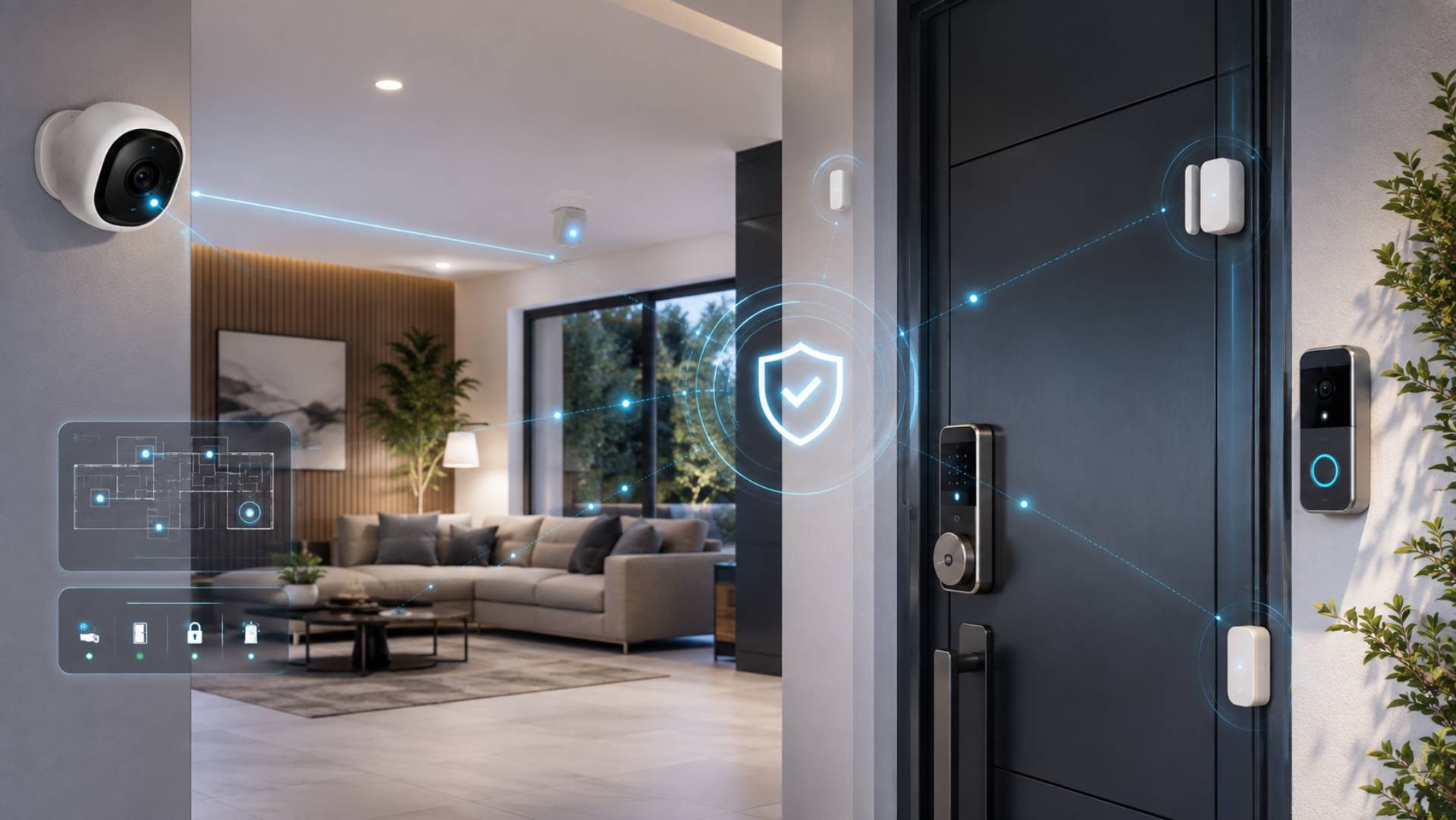
Smart Home Security: Cameras, Video Doorbells, Smart Locks, and Sensors Explained
Smart home security has moved well beyond a basic alarm and a set of keys. Today, cameras, video doorbells, smart locks and sensors can work together to give homeowners better awareness of what is happening around their property.
The real benefit, however, is not simply owning more gadgets. A reliable security setup should combine technology with sensible physical security, careful access management and good privacy practices.
Whether you live in an apartment, manage a rental property or own a large family home, the right combination of smart security devices can make everyday protection more convenient without making it unnecessarily complicated.
What Is Smart Home Security?
Smart home security uses connected devices to monitor, protect and control different parts of a property.
These devices can communicate through a home network and, in many cases, send alerts to a smartphone. Some can also interact with one another. For example, a door sensor could detect an opening while a nearby camera records activity and a smart light switches on.
Common smart security devices include:
- Security cameras
- Video doorbells
- Smart locks
- Door and window sensors
- Motion detectors
- Smart alarms
- Security lighting
- Mobile notification systems
The best setup depends on the property and the risks you want to address. More devices do not automatically mean better security.
Smart Security Cameras
Security cameras provide visual awareness around your property. Depending on the model, they may offer live viewing, motion detection, night vision and recording.
Placement matters as much as the camera itself. Exterior cameras can cover entrances, driveways, gardens or other vulnerable areas. Indoor cameras may be useful in selected locations, but they require greater consideration of privacy.
Avoid pointing cameras unnecessarily towards neighbouring properties or areas where people reasonably expect privacy.
Wired vs Wireless Cameras
Wired cameras can provide consistent power and may be suitable for permanent installations. Wireless models are generally easier to position but depend on battery life or another power source.
Before choosing a camera, consider:
- Power availability
- Wi-Fi strength
- Recording requirements
- Night-time visibility
- Weather resistance for outdoor use
- Storage options
- How alerts are delivered
A camera is only useful if it remains operational when you need it.
Video Doorbells
A video doorbell combines a doorbell with a camera and two-way communication.
It can notify you when someone approaches the entrance, allowing you to check who is there even when you are away. Some models can also record activity around the front door.
Video doorbells are particularly useful for monitoring deliveries and unexpected visitors.
However, they should be positioned carefully. A camera that captures a wide area of a shared path or neighbouring property may create unnecessary privacy concerns.
Smart Locks
Smart locks can provide keyless entry through methods such as a smartphone, keypad, fingerprint reader or temporary access code.
One of their biggest advantages is access management. Instead of giving someone a permanent spare key, you may be able to create a temporary code and remove it later.
This can be useful for:
- Family members
- Trusted visitors
- Cleaners
- Tradespeople
- Short-term guests
- Rental property occupants
Before installing a smart lock, check that it is compatible with your existing door and locking mechanism.
It is also important to consider what happens if the battery runs flat or the internet connection fails. A good smart lock should have a sensible backup entry method.
Door and Window Sensors
Sensors provide a simple way to know whether doors and windows are open or closed.
They can be installed on common entry points and configured to send notifications when unexpected activity occurs. Some can also trigger alarms or other connected devices.
Sensors are especially useful because they add another security layer without requiring a camera in every room.
For example, a window sensor can alert you to an opening without recording video inside the property.
Motion Detectors
Motion sensors detect movement within a defined area. They can be useful for rooms, hallways, garages and selected outdoor spaces.
However, placement is important. Poorly positioned sensors can create unnecessary alerts caused by pets, changing light conditions or normal household activity.
Rather than covering every possible area, focus on locations where movement would be meaningful.
Smart Alarms and Security Lighting
A smart alarm can connect with other security devices and provide alerts when unusual activity is detected.
Security lighting can add another useful layer. Motion-activated lights may discourage unwanted activity while making cameras more effective at night.
Lighting can also improve everyday convenience. For example, exterior lights can switch on when someone approaches the entrance.
The goal should be a layered system where each component has a clear purpose.
Local Storage vs Cloud Storage
One important decision when buying smart cameras is where recordings are stored.
Cloud Storage
Cloud storage allows footage to be stored remotely and accessed through an app. It can be convenient if you want to review recordings while away from home.
However, cloud services may involve monthly or annual subscription costs. The provider’s storage period and features can also vary.
Local Storage
Local storage keeps recordings on a device such as a memory card, network storage system or dedicated recorder.
This can reduce dependence on a subscription service, although you remain responsible for managing the storage and protecting the equipment.
Before choosing a system, check exactly what recording features are included in the standard purchase price.
Internet Dependence and Backup Planning
Many smart security products rely on an internet connection for remote notifications and cloud features.
That creates an important question: what happens when the internet goes down?
Some devices can continue performing basic functions locally, while others may lose important features.
A practical setup should consider:
- Backup power
- Local recording
- Mobile connectivity where appropriate
- Battery condition
- Manual entry options
- Offline alarm functionality
Security technology should support your property even when everything does not work perfectly.
Protecting Smart Security Accounts
Your security system is only as strong as the accounts controlling it.
Use unique passwords for security-related accounts and enable multi-factor authentication whenever it is available.
You should also review who has access to your devices. Remove former household members, previous tenants and old guest accounts when they no longer need access.
Regularly check:
- Account permissions
- Connected users
- Device access
- Software updates
- Notification settings
- Recovery options
Do not overlook the digital side of home security.
Privacy Matters
Connected cameras can provide valuable security information, but they also collect sensitive footage.
Think carefully about where cameras are installed and who can view recordings. Indoor cameras deserve particular caution because they may capture private family activity.
Keep software updated and use strong account security. Avoid giving more people access to recordings than necessary.
For rental properties and shared homes, make sure everyone understands where cameras and other monitoring devices are located.
Common Smart Home Security Mistakes
A few common mistakes can undermine an otherwise impressive system.
Installing Too Many Devices
More cameras, sensors and gadgets can create more alerts without necessarily improving protection.
Ignoring Software Updates
Updates can address security weaknesses and improve reliability. Devices should not simply be installed and forgotten.
Using Weak Account Security
A smart lock or camera connected to a poorly protected account creates an unnecessary vulnerability.
Forgetting Physical Security
Smart technology does not replace strong doors, suitable locks, secure windows and sensible outdoor lighting.
Poor Camera Placement
A camera hidden behind an obstruction or aimed at an irrelevant area provides limited value.
Neglecting Guest Access
Temporary users should not retain permanent access after they no longer need it.
Smart Home Security for Different Properties
Apartments
Apartment residents may benefit from a video doorbell, door sensors and selected indoor or balcony monitoring, depending on building rules.
Physical security and privacy considerations are particularly important in shared buildings.
Family Homes
A family home may benefit from a combination of exterior cameras, door and window sensors, smart locks, lighting and an alarm.
The system should be designed around entrances and other vulnerable areas rather than covering every room.
Rental Properties
Landlords and property managers need to think carefully about access management and privacy.
Smart locks can make it easier to provide temporary access, while security devices should be installed and managed in a way that respects occupants’ privacy and applicable requirements.
Larger Homes
Larger properties may need several security layers because of multiple entrances, garages, outbuildings and larger outdoor areas.
A centralised system can make monitoring easier, but reliability and network coverage become increasingly important.
Frequently Asked Questions
Are smart home security systems worth it?
They can be valuable when they solve specific security and convenience needs. The most effective system is not necessarily the one with the most devices, but the one that is reliable, well positioned and properly managed.
Do smart security cameras work without Wi-Fi?
Some cameras can continue recording locally without an internet connection, depending on the model. However, remote viewing and cloud notifications may not work without internet access.
Are smart locks secure?
Smart locks can provide useful access-control features, particularly when they support strong authentication and temporary access codes. They should still be backed by appropriate physical door security.
Is cloud storage better than local storage?
Neither option is universally better. Cloud storage is convenient for remote access, while local storage can reduce subscription dependence. Check the costs, recording limits and backup features before choosing.
Should every room have a security camera?
No. Cameras should be placed where they provide meaningful security value while respecting privacy. Door and window sensors can often provide useful monitoring without recording video.
Conclusion
Smart home security works best as a layered approach rather than a collection of gadgets. Cameras can provide visual awareness, video doorbells can monitor entrances, smart locks can simplify access management, while sensors and alarms can detect activity without relying entirely on video.
Before buying anything, consider your property’s layout, power supply, internet reliability, privacy requirements and the people who need access. Then choose devices that work together and have sensible backup options.
Good security is ultimately about reliability and control. The right technology should make your property easier to monitor and manage without creating unnecessary complexity.